Nucleus AI Grading
Designing an AI grading feature for an e-learning platform that exceeds all expectations.
The problem: teachable moments require more time than teachers have.
For any e-learning platform, automatically grading exact match questions is a snap. But what happens when the student is invited to actually write a qualitative answer?
Imagine you are a teacher that is employed to teach Financial Literacy to 150 kids across 5 classes. Your district signed you up to use Nucleus, an e-learning platform that provides modules in this subject. The content is great, but your school expects you to enter a grade every week into their SIS (student information system). And so you need to grade their work.
And so as the kids work on the content, this is a typical question (and answer) that that a student might be expected to answer, and the teacher to grade:
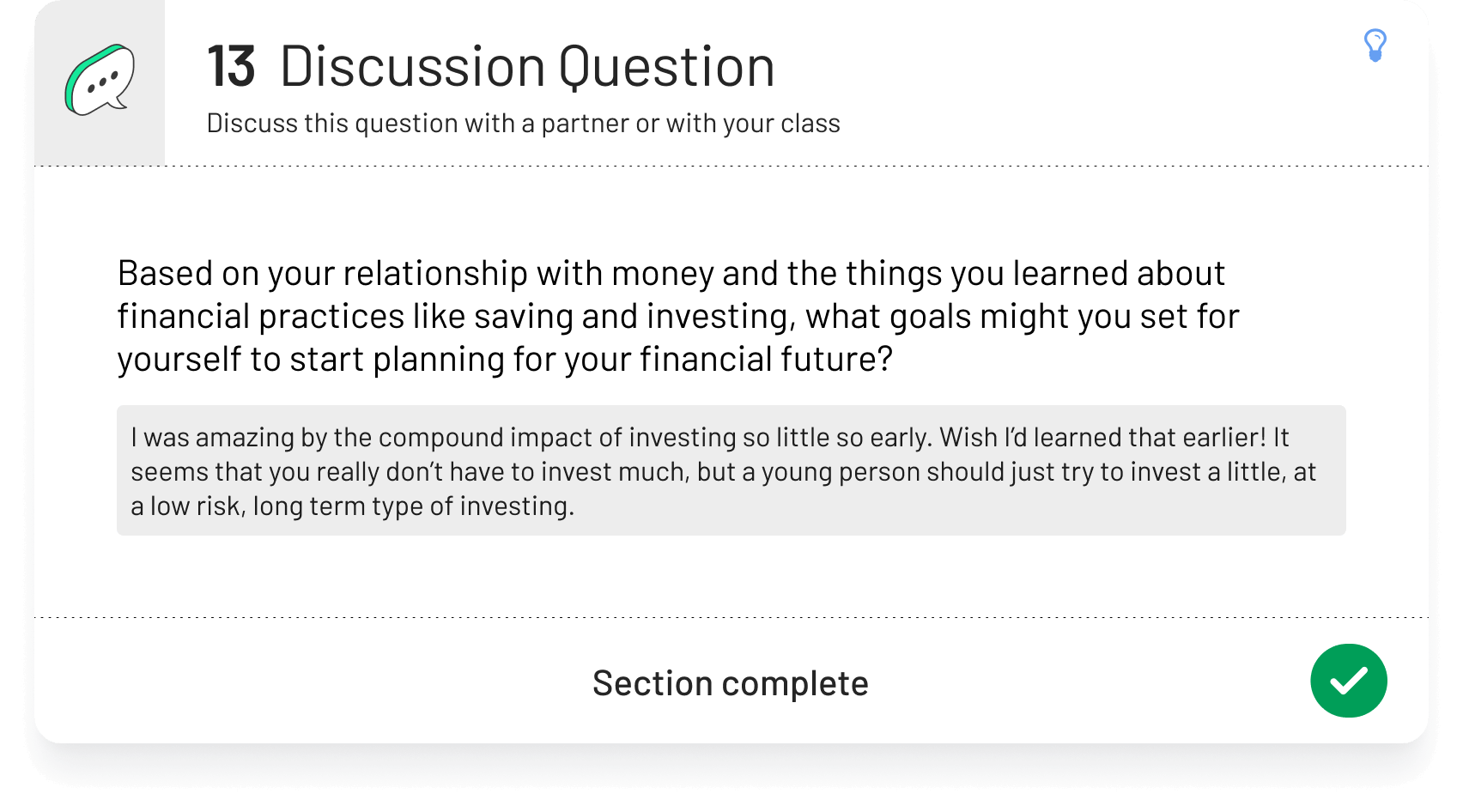
As a teacher, you would probably think… wait… I have to mark this 150 times? And apart from checking all the automatic exact response questions, there’s four more of these quality answers I have to grade? And so you do the math. 150 students x 5 questions = ... gulp… you’d have to do this 750 times in a week? And this is in addition to all the teaching in-class?
The solution: Use AI to review the quality answers and generate comments for the teacher to approve.
Imagine you have at least five questions like per student that you have to grade. Ideally, in many cases, in addition to a grade, you might want to supply a comment to the student and assign it back to them, which invites another round of grading and commenting for that student.
The flow
• The teacher assigns a module to a student with a due date.
• The student has access to the module only until that due date is reached.
• The teacher can change the due date at any time (including making it due now).
• The due date is reached, the module is locked for the student, and the teacher runs the AI grading assistant.
The Data structure
This required mapping out a set of question types in a data structure that would allow us to distinguish questions for which to provide AI comments. Answers would be distinguished by type: completion only, exact match, and quality.
Running the grading assistant
All exact match answers are given a numeric grade immediately. Quality answers (usually requiring a long form response from the student), are sent with a query to ChatGPT, who return a comment.
Teachers are given a step to review those comments, delete them, edit them, or approve them. The teacher then approves all the grades and comments, the grade and comments sent to the student, and the grade entered into the record.
The reception: a game changer for the product. This was released very quickly with minimal QA, testing, and revision. After a short period of initial hiccups, the experience was very quickly adopted by users, with an extremely positive reception.
Before we even launched, it was clear that our prompts to chatGPT were working very well. The AI generated comments were fantastic. Very soon after launch it became clear that users were not only in love with the feature, but that it would have a significant influence on their intent to use Nucleus in the future.
Post launch surprise: The AI comments become a potent teaching tool
About a month in, I conducted a series of interviews with teachers, in a combination of usability testing and contextual inquiry. While there were lots of ideas that came out of that to improve the overall product, the AI grading feature received only minor revisions. One of the teachers interviewed said that he was showing these responses to the English teachers, because he found it such a great tool for teaching.
Let’s take the same question as an example.
Next Project


